
I took a tour of Fenway Park and was lucky enough to get to sit in THE t.v. booth of Remy and Orsillo (those of you who are faithful Boston fans will know them as the Rem-Dog and Don). While seated, my wonderful wife snapped this picture of me gazing longingly out to the field...I've now taken it over to PS for some funtime editing!
Below I've worked the 'full meal deal' on the original photo. I balanced the color, bumped up the saturation a tad, then set to work playing with filters! I put a different filter in each window pane (magnetic lasso each selection, open the filters menu, and plug in your selection) upper left is Artistic-Fresco, upper right is Stylize-Glowing edges, lower left-Sketch-Chalk&Charcoal, and lower right is Texture-Stained Glass! I then used the overlay method of dodge and burn to take out some of the glare from my dome and lighten up around the desk (very minor touch on the lighten). I merged the layers down and saved as the new JPEG below:
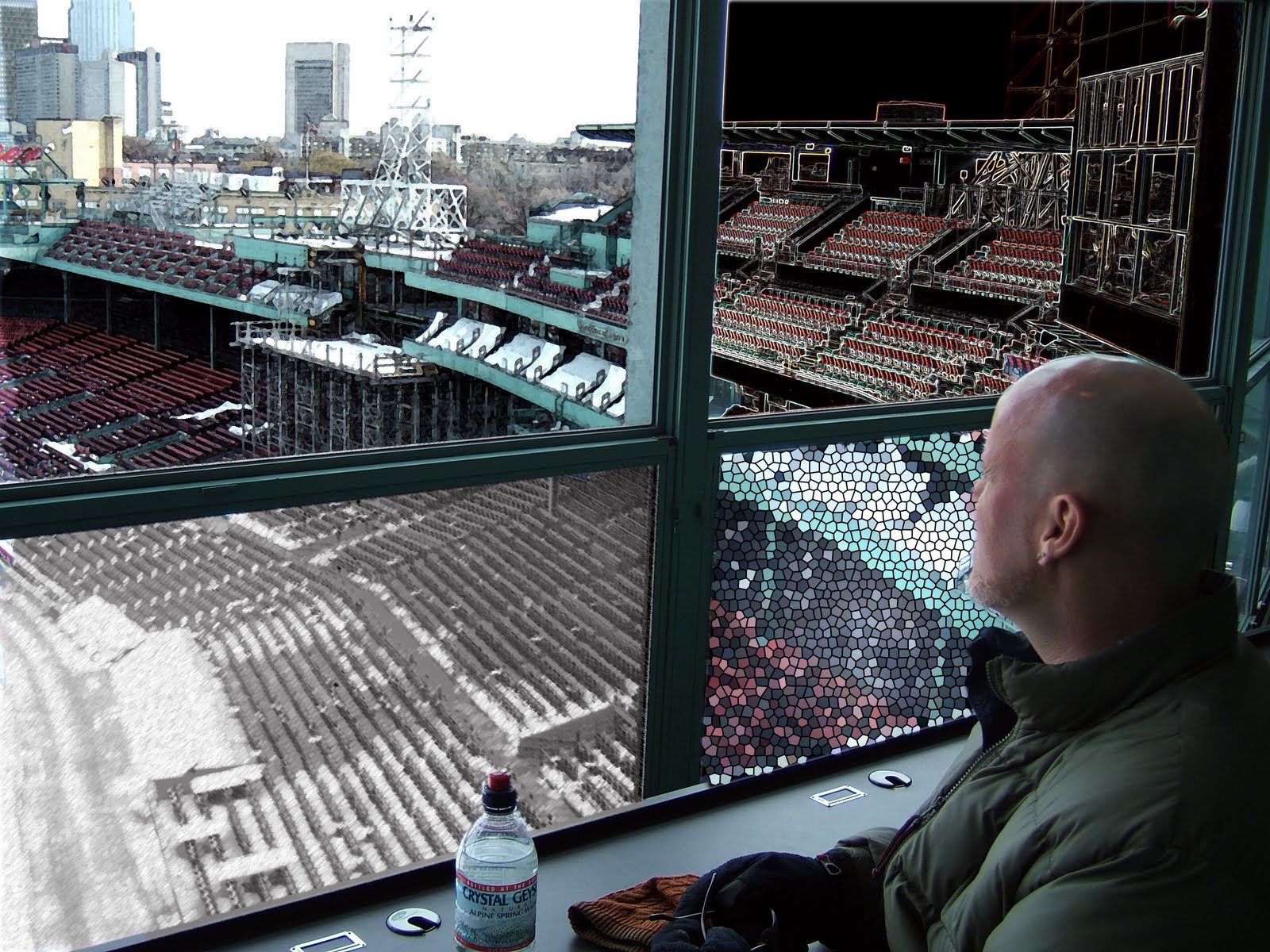
Check me out! I'm calling a real trippy ball game in Fenway!
Murph =)


That's really neat, good job!!! Nice work using the filters
ReplyDeleteWe took the Fenway tour a few years ago, I have a similar picture! Unfortunately the day we went it was pouring rain but I did manage to get some shots. We are going to Fenway on April 24th can't wait!
ReplyDeleteI like what you did with it! Nice work.
ReplyDeleteGreat job and great idea. I really like how each pane is different, and because of the different values within the window pane it looks to me that the window frame stands out with more detail or texture. Nice.
ReplyDeleteCool! I never realized you could do this, so thanks for putting the steps down:) Great job!
ReplyDeleteNice job!!! And what a cool idea :)I think it's your best so far.
ReplyDeleteWoW! That is really trippppppy! Really creative! Nice job applying all the different techniques we have been learning.
ReplyDeleteWow! Great job! I love the window pane effect. What a creative use of the filters.
ReplyDelete